

If you've encountered the frustrating ModuleNotFoundError: No module named 'sklearn' error while working on a Python or machine learning project, you're not alone. In this guide, I'll share how I solved it, the mistakes I made, and the exact troubleshooting steps that consistently work.
Why Did I Get This Error?
I still remember the first time I saw this error.
I had just started learning Scikit-learn and was excited to build my first machine learning model. Everything looked fine—the code was simple, and I had copied the import statement directly from the documentation.
Then Python responded with:
ModuleNotFoundError: No module named 'sklearn'
At first, I assumed I had typed something incorrectly. After checking the spelling several times, I realised the problem wasn't my code—it was my Python environment.
From that day on, I started following the same troubleshooting process every time I encountered package-related errors, and it has saved me hours of debugging.
What Does This Error Mean?
The error simply means that Python cannot find the Scikit-learn library in the environment where your script is running.
Although we write:
import sklearn
the package you actually install is:
pip install scikit-learn
Many beginners accidentally install the wrong package, install it into a different Python version, or use a virtual environment without realizing it. The transcript demonstrates that the import fails because Scikit-learn is missing from the active environment.
Step 1 – Check If Scikit-learn Is Already Installed
Before reinstalling anything, I always verify whether the package already exists.
Run:
pip show scikit-learn
If Python displays the version, installation path, and package information, Scikit-learn is already installed. If nothing is returned, you'll need to install it. Checking with pip show is a quick way to confirm whether the package is available.
Step 2 – Install the Correct Package
The biggest mistake I made early on was trying to install sklearn instead of scikit-learn.
Use one of these commands:
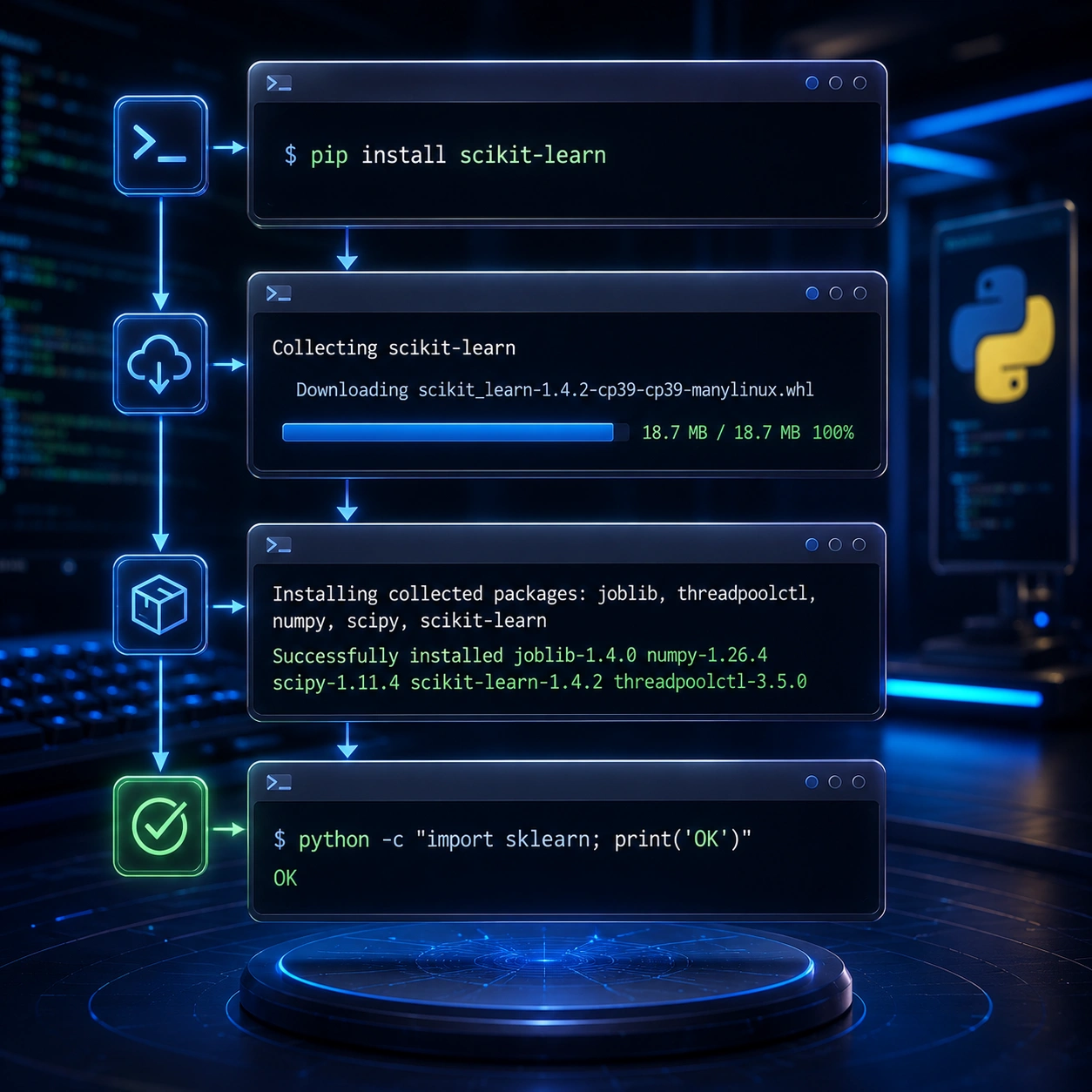
pip install scikit-learn
or
pip3 install scikit-learn
Depending on your operating system and Python version, one of these commands will work. The transcripts recommend pip3 install scikit-learn, with pip install as an alternative if needed.
Step 3 – Make Sure Python and Pip Match
One project kept failing even after I installed Scikit-learn.
Eventually, I discovered that pip had installed the package into one Python interpreter while my project was running under another.
This is surprisingly common when multiple Python versions are installed.
Always verify that:
- Your project uses the correct interpreter.
pipbelongs to that same interpreter.- Your IDE points to the same environment.
Using different interpreters for installation and execution is one of the most common causes of this error.
Step 4 – Check Your Virtual Environment
If you're using:
- VS Code
- PyCharm
- Conda
- venv
remember that each environment has its own installed packages.
Installing Scikit-learn globally doesn't automatically make it available inside your virtual environment.
PyCharm, for example, often creates an isolated environment for every project, so you'll need to install the package there as well.

Step 5 – Verify Everything Works
Once the installation is complete, I always run a quick test before continuing with my project:
import sklearn
print(sklearn.__version__)
If the import succeeds and the version is displayed, the installation is working correctly.
Common Causes of This Error
From my experience, these are the most common reasons:
- Scikit-learn isn't installed.
- Python and pip point to different versions.
- The wrong interpreter is selected in the IDE.
- The package is missing from the active virtual environment.
- Multiple Python installations cause confusion.
- A corrupted Python installation.
Following a simple checklist is usually much faster than reinstalling everything.
Final Thoughts
The ModuleNotFoundError: No module named 'sklearn' error used to feel intimidating when I first started working with Python.
Now I know it's usually a straightforward environment issue rather than a coding mistake.
Whenever it appears, I don't jump straight into reinstalling Python. Instead, I check whether Scikit-learn is installed, confirm the active interpreter, verify the virtual environment, and test the import again.
Those few steps have solved this issue for me countless times, and they'll likely help you get back to building your machine learning projects much faster.
Start Your Project With MAQ - End-To-End IT Solutions In Dubai
FAQ
Frequently Asked Questions
What causes the "ModuleNotFoundError: No module named 'sklearn'" error?
This error usually occurs because Scikit-learn is not installed, the wrong Python interpreter is being used, or the package is missing from the active virtual environment.
Should I install sklearn or scikit-learn?
You should install scikit-learn using pip. Although the library is imported as sklearn, the package name is scikit-learn.
How do I check if Scikit-learn is installed?
Run: pip show scikit-learn If package information is displayed, Scikit-learn is already installed.
Why does PyCharm still show the error after installation?
PyCharm often uses its own virtual environment. Install Scikit-learn inside the project's active virtual environment rather than the global Python installation.
Can multiple Python versions cause this problem?
Yes. If pip installs the package into one Python interpreter while your project runs on another, Python won't find the library.
Review
Python Scikit-learn Installation Guide
A practical guide that explains why the ModuleNotFoundError occurs, how Python environments work, and the fastest ways to fix Scikit-learn installation issues across Windows, macOS, Linux, VS Code, and PyCharm.
E-E-A-T
Editorial Trust
Author bio: The MAQ development team builds Python applications, machine learning solutions, workflow automation, APIs, and intelligent software systems. Our engineers work with Scikit-learn, TensorFlow, Pandas, NumPy, and modern Python development frameworks to create scalable business applications.
Editorial note: This article is based on practical Python development experience and real-world debugging scenarios. The troubleshooting methods follow recommended Python package management practices and are designed to help developers resolve installation and environment-related issues quickly.
Experience
Our developers have implemented Python applications, AI automation workflows, data analysis solutions, machine learning models, API integrations, and custom software projects using Scikit-learn, Pandas, NumPy, TensorFlow, and modern Python development tools.
Expertise
Python Development Machine Learning Scikit-learn Python Package Management Virtual Environments PyCharm VS Code pip Data Science AI Development Software Development Python Debugging
Authoritativeness
MAQ provides Python development, AI solutions, custom software development, workflow automation, API integration, and intelligent business solutions. Our team helps businesses and developers build secure, scalable, and production-ready Python applications.
Trustworthiness
Our recommendations are based on official Python packaging practices, Scikit-learn installation guidelines, IDE configuration standards, and practical debugging experience across multiple operating systems and development environments.
Related Reading
More from the blog

IT Solutions in Dubai- How to Pick The Best?
Looking for the best IT solutions in Dubai? Discover how the right technology partner can improve productivity, strengthen cybersecurity, automate operations, and help your business scale with confidence.

Context Length Exceeded - Complete Fix Guide
Learn why the context length exceeded error occurs in ChatGPT, Claude, Gemini, OpenAI API, and n8n workflows. Discover practical solutions including prompt optimization, smart chunking, RAG, memory management, and context engineering to build faster and more reliable AI applications.

How Can UAE Businesses Use AI SEO Tools to Get Brand Mentions?
Learn how AI SEO tools help UAE businesses improve Google rankings, appear in ChatGPT, Gemini, and Perplexity responses, and increase brand visibility through AI-powered search optimization.