
Have you ever been working with ChatGPT, Claude, Gemini, OpenAI API, n8n, Ollama, LM Studio, or any AI application and suddenly received the frustrating "context length exceeded" error?
I know exactly how that feels because I encountered this problem repeatedly while building AI workflows, automations, and long-running conversations. At first, I assumed the AI model simply couldn't handle large prompts. But after studying multiple expert discussions, experimenting with different tools, and testing several real-world solutions, I realised the issue isn't the AI itself—it's how we manage its context.
In this guide, I'll explain what context length exceeded really means, why it happens, and the practical methods I now use to prevent it.
What Does "context length exceeded" Actually Mean?
Think of an AI model as having a temporary working memory.
Every instruction you give, every previous response, uploaded document, code snippet, tool output, and system prompt occupies part of this memory.
Once the total amount of information becomes larger than what the model supports, you'll receive the context length exceeded error.
This limitation exists because every Large Language Model (LLM) has a maximum context window measured in tokens rather than words. Context management focuses on deciding which information deserves to remain inside that limited window for the best possible responses.
Why Did I Keep Getting This Error?
When I first started building AI workflows, I thought increasing the context size would solve everything.
It didn't.
Instead, I noticed several common situations where the error appeared repeatedly.
Long conversations
Every new message adds more tokens.
After enough interactions, the conversation becomes too large.
Large documents
Uploading PDFs, documentation, books or code repositories quickly consumes the available context.
AI Automation Workflows
Platforms like n8n often send:
- Previous conversations
- Tool outputs
- API responses
- System prompts
- User prompts
all together.
This can easily exceed the model's supported limit.
Multiple Tool Calls
Every tool result gets added back into the conversation.
Over time, these responses become enormous, eventually pushing the request beyond the available context window. Managing tool outputs carefully prevents unnecessary token growth.
Why Simply Increasing Context Length Doesn't Always Work
One mistake I made was assuming:
"More context equals better answers."
That isn't always true.
As the context grows larger, AI models often become slower, less accurate, and may start forgetting important information from earlier in the conversation.
Developers refer to this as context degradation or context rot, where response quality declines even before reaching the maximum token limit.
How I Finally Solved the Problem
After experimenting with several techniques, these methods consistently produced the best results.
1. Break Large Tasks Into Smaller Parts
Instead of sending everything in one prompt,
split it into multiple smaller requests.
For example:
- Entire project
- One chapter
- One module
- One function
This keeps the AI focused while reducing token usage.

2. Summarise Earlier Conversations
Instead of keeping hundreds of previous messages,
replace older sections with a concise summary.
Many AI applications automatically summarise old conversations to preserve the important context while reducing token consumption. Summarising older exchanges is a common strategy for keeping conversations useful without exceeding limits.
3. Remove Duplicate Information
I discovered my workflows were repeatedly sending:
- identical system prompts
- repeated tool outputs
- duplicated API responses
Cleaning these reduced thousands of unnecessary tokens.
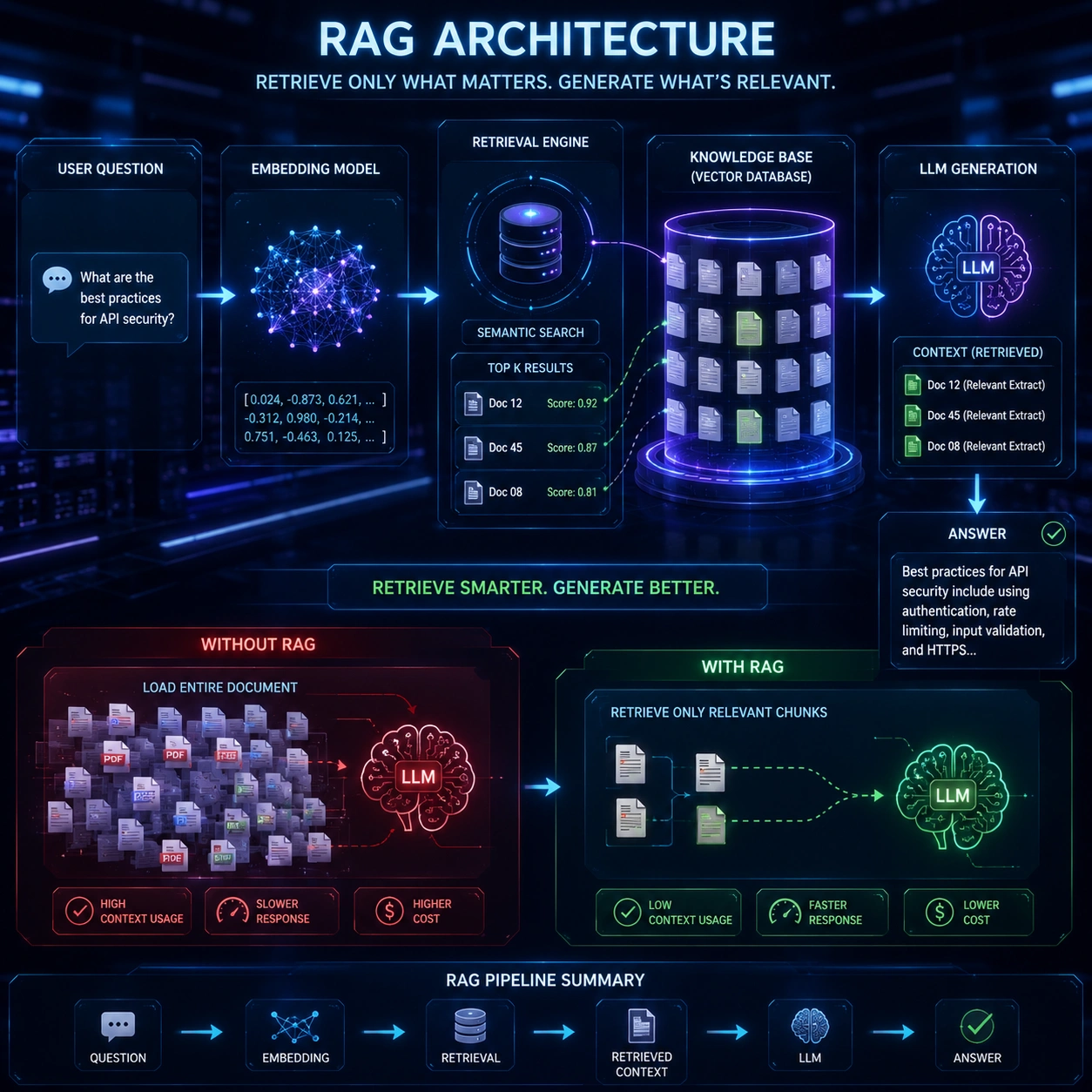
4. Use Retrieval Instead of Sending Everything
Rather than loading an entire document into every request,
store the information externally and retrieve only the relevant sections.
Modern Retrieval-Augmented Generation (RAG) systems and recursive retrieval techniques follow this principle instead of forcing huge prompts into the model.
5. Increase Context Length (Only When Appropriate)
If you're running local models like:
- Ollama
- LM Studio
you can increase the context window depending on the model and your available GPU memory.
However,
larger context windows require significantly more VRAM, and increasing them beyond your hardware capacity may slow inference or even crash the application.
Common Tools Where This Error Appears
From my experience, the context length exceeded error commonly occurs in:
- ChatGPT API
- OpenAI API
- Claude API
- Gemini API
- n8n AI workflows
- LangChain
- CrewAI
- Ollama
- LM Studio
- AI Coding Assistants
- RAG Applications
Understanding token limits in these platforms can save hours of debugging.
Can This Error Be Prevented Completely?
In most cases, yes.
The key is not simply increasing the context window but managing it intelligently.
Today, AI engineers use techniques such as:
- Context Engineering
- Smart Chunking
- Recursive Retrieval
- RAG
- Prompt Compression
- Conversation Summarisation
- Memory Management
- Tool Output Optimisation
These approaches keep AI responses accurate while staying within model limits.
Final Thoughts
Looking back, I realised the context length exceeded error wasn't really a bug—it was teaching me how modern AI systems actually work.
Once I stopped trying to fit everything into a single prompt and instead focused on smarter context management, my AI workflows became faster, more accurate, and far more reliable.
If you're seeing this error, don't immediately blame the model. Start by reviewing your prompts, trimming unnecessary information, using summaries, and retrieving only the data you actually need.
Those small changes made a huge difference in my projects, and they'll likely do the same for yours.
Start Your Project With MAQ - Artificial Intelligence Technology In UAE
FAQ
Frequently Asked Questions
What does "context length exceeded" mean?
It means your prompt, previous conversation, uploaded files, and system instructions exceed the maximum token limit supported by the AI model.
Why does ChatGPT show context length exceeded?
This usually happens when conversations become too long, documents are too large, or multiple tool outputs consume the available context window.
How can I fix context length exceeded?
Use smart chunking, summarize previous conversations, remove duplicate information, implement Retrieval-Augmented Generation (RAG), and optimize prompts.
Does increasing the context window always solve the problem?
No. Larger context windows require more GPU memory and can slow down inference. Better context management is usually a more effective solution.
Which AI tools commonly experience this error?
ChatGPT, Claude, Gemini, OpenAI API, n8n, LangChain, Ollama, LM Studio, CrewAI, and other LLM-powered applications.
Review
Context Length Exceeded Error Guide
A practical guide explaining why the context length exceeded error occurs in modern AI models and how developers can solve it using prompt optimization, smart chunking, Retrieval-Augmented Generation (RAG), and context engineering.
E-E-A-T
Editorial Trust
Author bio: The MAQ AI team builds intelligent automation systems using ChatGPT, OpenAI APIs, Claude, Gemini, n8n, vector databases, Retrieval-Augmented Generation (RAG), and custom AI workflows. We help businesses implement scalable AI solutions that improve productivity, automate operations, and accelerate digital transformation.
Editorial note: This article combines practical implementation experience with current Large Language Model (LLM) architecture concepts, token management strategies, and workflow optimization techniques. The recommendations are based on real-world AI development practices rather than theoretical examples.
Experience
Our engineers have developed AI-powered automation systems, multi-agent workflows, prompt engineering solutions, retrieval systems, and business automation platforms using OpenAI, Anthropic Claude, Google Gemini, Ollama, LangChain, CrewAI, and n8n.
Expertise
Context Engineering Prompt Engineering LLM Architecture AI Automation OpenAI API Claude AI Gemini AI n8n LangChain RAG Systems Vector Databases AI Workflow Optimization
Authoritativeness
MAQ delivers AI development, intelligent workflow automation, custom software development, website development, and digital transformation solutions. Our team helps businesses integrate modern AI technologies into practical business operations with scalable, production-ready architectures.
Trustworthiness
Our recommendations are based on hands-on AI implementation, official platform documentation, current LLM best practices, and extensive testing across multiple AI ecosystems. We prioritize practical, reliable, and scalable solutions that businesses can confidently adopt.
Related Reading
More from the blog

IT Solutions in Dubai- How to Pick The Best?
Looking for the best IT solutions in Dubai? Discover how the right technology partner can improve productivity, strengthen cybersecurity, automate operations, and help your business scale with confidence.
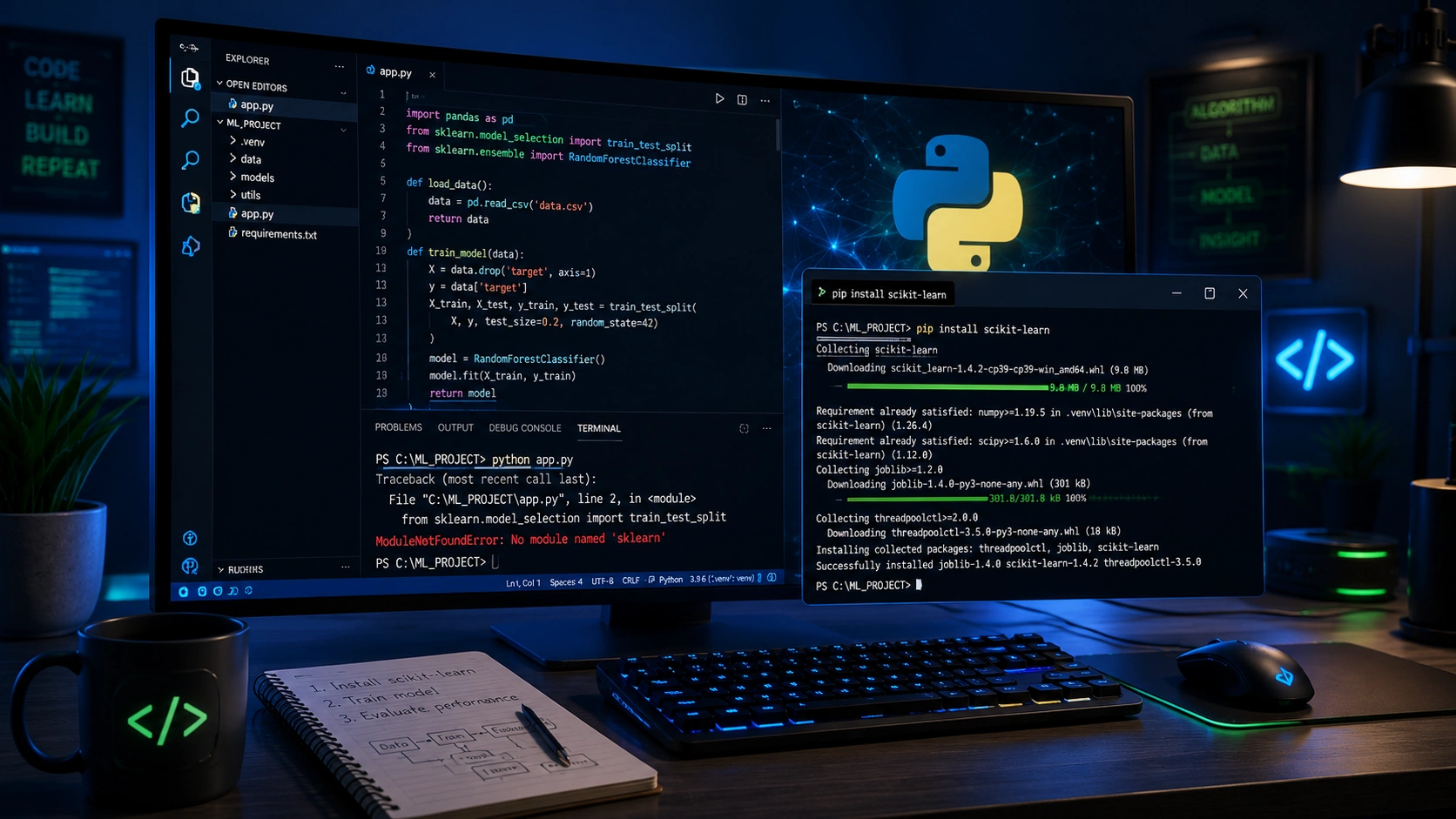
ModuleNotFoundError: No module named 'sklearn'
Learn how to fix the ModuleNotFoundError: No module named 'sklearn' error in Python using simple troubleshooting steps. Discover how to install Scikit-learn correctly, configure virtual environments, resolve Python interpreter issues, and get your machine learning projects running without errors.

How Can UAE Businesses Use AI SEO Tools to Get Brand Mentions?
Learn how AI SEO tools help UAE businesses improve Google rankings, appear in ChatGPT, Gemini, and Perplexity responses, and increase brand visibility through AI-powered search optimization.